
Employee Provident Fund (EPF)
The Employees' Provident Fund (EPF) is a savings plan in India that helps employees save money for their life after retirement. It is managed by a government body called the Employees' Provident Fund Organisation (EPFO). In this system, both the employee and the employer have to deposit a certain amount of money into the employee's EPF account every month. Over time, these contributions grow into a large amount, which the employee can use after they stop working. This makes EPF a reliable way to build financial security for the future.
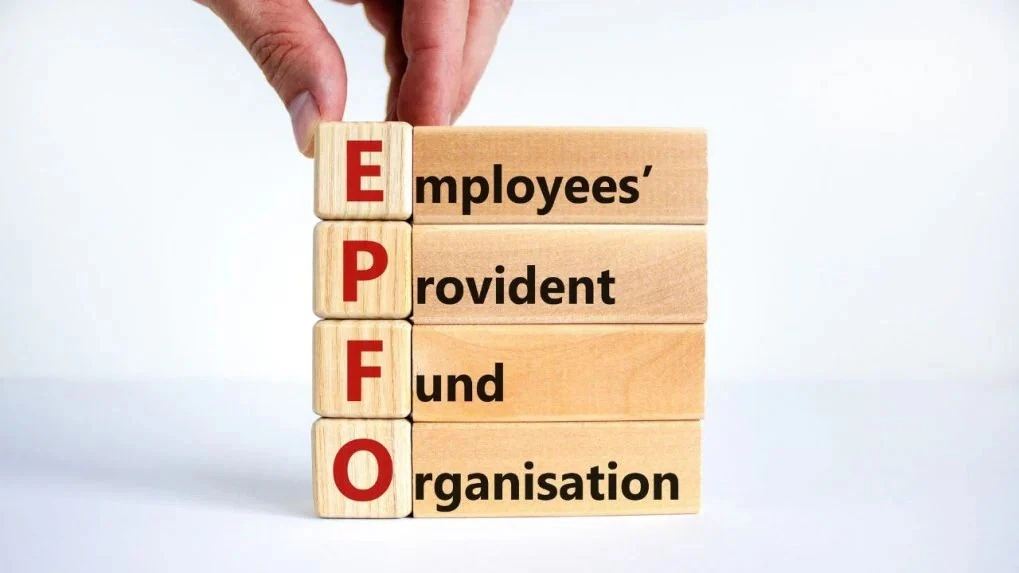
Key Objectives of EPFO
- Ensure seamless EPF account management through UAN across multiple jobs
- Simplify rules and processes for both employees and employers
- Ensure organisations regularly follow EPFO regulations and guidelines.
- Improve compliance and encourage voluntary participation
- Expand social security coverage to more eligible workers
- Enhance digital services with faster and paperless processes
- Provide easy and secure online access to EPF accounts
- Enable faster claim settlement through automation and verification-based processing
- Promote long-term retirement savings and financial security
Universal Account Number (UAN)
The Universal Account Number (UAN) is a special 12-digit ID given to each member of the EPF scheme. It helps employees manage their provident fund accounts easily across different jobs.
Once generated, the UAN remains the same throughout an employee’s career. When you switch jobs, a new Member ID is created and linked to your existing UAN, ensuring that all your EPF accounts stay connected.
With UAN, employees can check their EPF balance, download passbooks, submit claims, and transfer funds online. These services are now available through multiple platforms such as the EPFO Member Portal and the UMANG mobile app.
UAN can be obtained from the employer or generated and activated online using Aadhaar-based verification. Recent updates have made the process more digital and user-friendly, reducing the need for employer involvement.
Employee Provident Fund (EPF) Benefits
- Helps people build a strong retirement fund with stable returns and long-term financial security.
- Offers an attractive interest rate of around 8.25% per year, helping savings grow faster.
- Provides tax benefits under Section 80C up to ₹1.5 lakh, making it a smart tax-saving option.
- Ensures automatic monthly savings through salary deduction, building financial discipline.
- Allows partial withdrawal for needs like medical emergencies, home purchase, or education.
- Offers improved digital services with faster claim settlement and easy online access.
- Provides financial support after retirement through a lump sum amount plus pension benefits.
EPFO Services
- Inoperative Accounts Helpdesk: Assists employees in tracking and managing inactive EPF accounts.
- Online EPF Withdrawal: Enables easy online withdrawal of EPF funds. Employees can withdraw up to 75% of their EPF balance after 1 month of unemployment and the remaining 25% after 2 months of unemployment.
- Certificate of Coverage for International Workers: Helps employees working in countries with Social Security Agreements (SSA) with India.
- Monthly Returns for Exempted Establishments: Facilitates submission of monthly returns through standardized digital formats such as ECR (Electronic Challan cum Return) via the EPFO system.
- UMANG App: Allows employees to access EPF services such as passbook viewing, claim filing, Aadhaar-based authentication, face authentication, and real-time claim tracking via mobile.
- Online EPF Transfer: Enables seamless transfer of funds from a previous EPF account to the current one.
- Online Establishment Registration: Allows organisations to register and obtain PF code online.
- Mandatory Online PF Payments: Employers must make PF contributions online through the EPFO unified portal using approved digital payment methods.
- Missed Call & SMS Services: Employees can check their balance and contribution status via SMS by sending ‘EPFOHO UAN ENG’ to 7738299899 or by giving a missed call to 011-22901406 from their registered mobile number.
- Claim Status & Passbook: Members can easily view their EPF claim status and download their passbook online.
- Grievance Redressal: Members can file complaints related to EPF withdrawal, pension, transfers, and other issues through the EPFO grievance portal.
EPFO Schemes
The EPFO manages multiple schemes for employee welfare, now aligned with updated rules and ongoing reforms under the Social Security Code:
- Employees' Provident Fund Scheme (EPF) - 1952: A retirement savings plan where both employee and employer contribute monthly. The current interest rate is around 8.25% for FY 2025–26, helping the balance grow steadily over time.
- Employees' Pension Scheme (EPS) - 1995: A statutory scheme that provides monthly pension after retirement. The minimum pension remains ₹1,000 per month, with ongoing discussions for future increase.
- Employees' Deposit Linked Insurance Scheme (EDLI) - 1976: Provides life insurance cover to employees linked with EPF membership, with benefits up to ₹7 lakh for eligible nominees.
EPF Contributions: Building a Secure Future
Under the EPF scheme, both employers and employees contribute 12% of the employee's basic salary and dearness allowance each month. This joint effort fosters a disciplined savings habit, leading to a significant fund over time.
Understanding the Structure of EPF
- Employees' Pension Scheme (EPS): From the employer’s 12% EPF contribution, 8.33% goes to EPS for pension after retirement. This calculation is based on salary up to ₹15,000 per month, so the maximum EPS contribution is ₹1,250 per month. This wage limit is still ₹15,000 as per current rules, though the government is considering increasing it in the future.
- Employees' Deposit-Linked Insurance (EDLI): The employer also contributes 0.5% of salary (up to ₹15,000) for EDLI, which provides life insurance cover for employees. The maximum contribution is ₹75 per month. Under the latest rules, EDLI offers life insurance benefits ranging from about ₹2.5 lakh to ₹7 lakh, helping the family financially in case of the employee’s death during service.
EPF Withdrawal Rules: Accessing Your Savings
EPF allows employees to withdraw money in specific situations for financial needs and retirement support.
Partial Withdrawals (EPF Advance)
You can withdraw a part of your EPF savings before retirement for specific needs such as:
- Medical emergencies for self or family
- Higher education of children
- Marriage expenses (self or children)
- Purchase or construction of a house
- Home loan repayment in some cases
These withdrawals are allowed only if you meet eligibility conditions like minimum service period and purpose-based limits.
Full Withdrawals
Full EPF withdrawal is allowed in the following situations:
- When a person retires at the age of 58 years.
- After leaving a job and remaining unemployed for 2 months or more (full PF balance can be withdrawn after this period)
- In case of permanent disability or serious medical conditions
Job Loss Withdrawal Rule
- After 1 month of unemployment: you can withdraw up to 75% of your EPF balance as advance support
- After 2 months of unemployment: you can withdraw the remaining eligible EPF balance (full settlement)
EPF Forms and Their Uses
Several forms facilitate various EPF-related processes:
- Form 31 (Advance Withdrawal): Used to take money from EPF for needs like medical, home, education, or emergencies. Now mostly done online.
- Form 10D (Monthly Pension): Used to start monthly pension after retirement or eligible service under EPS.
- Form 10C (Pension Withdrawal): Used to withdraw pension money if you are not eligible for monthly pension after leaving a job.
- Form 13 (PF Transfer): Used to transfer PF from old job to new job. Now fully online in most cases.
- Form 19 (Final Settlement): Used to withdraw full PF amount after leaving job or retirement. Mostly done online now.
Breakdown of PF Contributions
Administrative charges are paid by the employer and are not deducted from the employee’s salary. Employers contribute to different segments of the EPF scheme as follows:
| Category | Percentage of Contribution (%) |
|---|---|
| Employees' Provident Fund | 3.67% |
| Employees' Pension Scheme (EPS) | 8.33% |
| Employee's Deposit Linked Insurance Scheme (EDLIS) | 0.50% |
| EPF Administrative Charges | 0.50% |
Employee and Employer Contributions
In the EPF system, both the employee and employer contribute every month based on the employee’s Basic Salary and Dearness Allowance.
- Employee's Contribution: The employee contributes 12% of Basic Salary plus Dearness Allowance every month. This full amount is directly added to the employee’s EPF account, which is used as retirement savings.
- Employer's Contribution: The employer also contributes 12% of Basic Salary plus Dearness Allowance every month. This amount is not kept in one place but is divided into parts. A portion goes into the EPF account for retirement savings, another part goes into the Employee Pension Scheme (EPS), and the remaining small portion is used for insurance (EDLI) and administrative charges paid by the employer separately.
EPF Interest Rate
The current interest rate for Employee Provident Fund (EPF) accounts stands at 8.25%. Interest is calculated at the end of the financial year and added to the employee’s and employer’s contributions, increasing the overall balance.
EPF Eligibility Criteria
- Employees working in companies with 20 or more employees are generally required to register under the EPF scheme.
- Employees whose basic salary is up to ₹15,000 per month at the time of joining must be compulsorily enrolled in EPF if the company is covered under EPF.
- Employees earning more than ₹15,000 per month can also join EPF, but this happens only if both employer and employee agree. Once enrolled, they continue to be part of EPF.
- Companies with fewer than 20 employees are not required to join EPF, but they can voluntarily register if they want to provide EPF benefits.
- The EPF scheme is applicable across all states and regions of India for eligible establishments.
Ways to Check EPF Balance
Employees can check their Employee Provident Fund (EPF) balance using any of the following methods:
- EPFO Portal: Log in to the official EPFO member passbook portal using your UAN and password. After login, you can view and download your updated passbook and check your EPF balance linked with your member ID.
- UMANG App: Install the UMANG app on your phone, select EPFO services, and log in using your UAN. You can check your EPF balance, view passbook, raise claims, and track claim status in one place.
- Missed Call Service: To use the missed call service, simply call 011-22901406 from your mobile number that is registered with your UAN and then disconnect the call. You will get your EPF balance information through SMS.
- SMS Service: If your UAN is activated and linked with Aadhaar, PAN, and your mobile number, send an SMS in this format: EPFOHO UAN to 7738299899. You will get your EPF balance information through SMS.
The Role of EPFO: Guardians of Social Security
The Employees’ Provident Fund Organisation (EPFO) is a legal organization that works under the Ministry of Labour and Employment, Government of India. It manages provident fund, pension, and insurance schemes for employees in the organized sector. The organisation’s key objectives include:
- Promoting Universal Account Number (UAN) to ensure each employee has a single, portable PF account across jobs.
- Simplifying compliance for employers through online filings, unified portals, and digital processes.
- Providing faster and more reliable online services, including online claims, KYC updates, and passbook access.
- Encouraging long-term savings for retirement through EPF, EPS (pension), and EDLI (insurance) schemes.
- Improving transparency and reducing delays using automation and direct benefit transfer (DBT) systems.
Steps to Activate UAN on the EPFO Portal
- Download and open the UMANG app (activation is now mainly done through the app, not the EPFO website).
- Open EPFO services and click on the “UAN Activation” option.
- Enter your Aadhaar number and basic details (ensure details match EPFO and Aadhaar records exactly).
- Verify using OTP sent to your Aadhaar-linked mobile number (OTP is now strictly linked to Aadhaar mobile).
- Complete face authentication (if required) through the app for final verification.
- Once the verification is completed successfully, your UAN becomes active and the login password is sent to your registered mobile number.
Services Available After Login
- Download UAN card and view or download your EPF passbook to check contributions, interest, and transaction history.
- Check PF details including balance, service history, and all linked member IDs under one UAN.
- Track PF claims, apply for withdrawal or transfer, and update personal or contact details online.
- Update KYC details such as Aadhaar, PAN, and bank account to enable faster claim processing and verification.
Supporting Documents Required
- For most corrections: If your Aadhaar is linked and verified with your UAN, many details can be corrected online without uploading documents, as Aadhaar is treated as the primary proof.
- For name or date of birth correction: Aadhaar is usually sufficient. If there is a mismatch, you may need supporting documents like a birth certificate, school certificate, passport, or PAN card.
- For joining or exit date correction: These are generally updated online through employer verification, and documents are not required in normal cases.
- For mismatch or special cases: You may need to submit supporting documents along with a joint declaration form signed by you and your employer.
EPF Passbook: Checking PF Account Statement
The EPFO passbook is a detailed record of contributions made by the employer and employee.
How to Download EPF Passbook
- Visit the official EPFO passbook portal (Member e-Sewa portal).
- Log in using your UAN and password (UAN must be activated and linked with Aadhaar, PAN, and mobile number).
- Select your Member ID and click on “View Passbook” to download or check your EPF passbook.
Why Avoid PF Withdrawal Before 5 Years?
- It is better to avoid withdrawing PF before 5 years of continuous service because you may lose the tax benefits you already got under Section 80C, and the withdrawn amount can become taxable income.
- If you withdraw more than ₹50,000 before 5 years, a 10% TDS may be deducted if PAN is linked, and it can be higher if PAN is not updated.
- To reduce or avoid TDS, you can submit Form 15G (or 15H for senior citizens) if your total income is not taxable.
- Even if TDS is not deducted, the PF withdrawal may still be taxable while filing your income tax return if the 5-year rule is not completed.
EPFO Grievance Redressal Process
Employees facing issues in their Provident Fund (PF) accounts can register complaints through the EPFO Grievance Management System. This online portal helps resolve PF-related problems in a transparent and trackable way.
You can raise grievances regarding:
- Withdrawals (delayed, rejected, or pending PF claims)
- PF settlements (final settlement or partial withdrawal issues)
- Transfer of PF account from your old employer to your new employer is taking more time than usual.
- Pension settlements (EPS pension delays or calculation issues)
- KYC or account corrections (name, Aadhaar, bank linking, etc.)
- Any other EPF-related service issue
The complaint can be filed online, and you can also track the status and receive updates directly through the portal.
Steps to Register a Grievance on the EPFO Portal
EPFO Toll-Free Helpline
For queries related to UAN (Universal Account Number) or KYC (Know Your Customer) updates, individuals can contact EPFO's toll-free helpline:
📞 1800 118 005
Procedure to Withdraw Funds from an Unclaimed EPF Account
If an EPF account remains unclaimed for an extended period, employees can withdraw the funds by following a simple process:
- Unclaimed or inactive EPF accounts can now be withdrawn anytime through the EPFO Member Portal or UMANG app using your UAN, as there is no fixed expiry or time limit for withdrawal.
- Submit your claim online after ensuring your Aadhaar, PAN, and bank account are fully KYC-verified and linked with UAN. Most claims are processed through online auto-settlement (Composite Claim Form system) without physical documents.
- Processing time is generally 3 to 15 working days, and the PF amount is directly credited to your linked bank account after successful verification.
Updating KYC Details on the EPFO Portal
To make EPF withdrawals and other services smooth and fast, employees should keep their KYC details updated on the EPFO e-Sewa/UAN portal. Make sure your Aadhaar, PAN, and bank account are correctly linked and verified, so there are no delays or issues in future transactions.
Steps to Update KYC Information
- Is there an age limit for employees to join the EPF?
There is no strict age limit to join EPF. If you are working in an eligible company, you can become a member at any age. However, after age 58, you cannot join the Employees’ Pension Scheme (EPS), and only the Provident Fund part will apply.
- Can an employee voluntarily contribute to EPF after leaving their job?
No, you cannot continue EPF contributions after leaving your job because EPF requires both employer and employee contributions. However, you can keep your existing balance in the account or transfer it when you join a new job.
- What actions are taken to recover EPF dues from defaulting employers?
If an employer does not deposit EPF money, the Employees' Provident Fund Organisation can take strict action. This may include penalties, legal cases, recovery of dues, freezing bank accounts, or even seizure of assets.
- Can an apprentice become an EPF member?
No, apprentices under the Apprentices Act or company training programs are not eligible for EPF during training. But once they become regular employees, EPF membership becomes mandatory.
- Is an employer allowed to reduce their EPF contribution?
No, employers cannot reduce their EPF contribution below the legal limit (usually 12% of basic salary + DA).
However, in some special cases approved by the government, a lower rate (like 10%) may apply to certain industries or companies.- How is EPF contribution calculated for employees receiving daily or partial payments?
EPF is calculated on total monthly wages. Even if you are paid daily, weekly, or for part of the month, the contribution is based on the total salary earned in that month.
- What steps should an employee take if they are denied EPF membership?
First, talk to your employer and request enrollment. If the issue is not resolved, you can file a complaint online or contact your nearest EPFO office for help.
- Can an employee independently enroll in the EPF?
No, you cannot join EPF on your own. You must be working in a company that is registered under EPF rules.
(For self-employed individuals, EPF is not applicable.)- Can an employee choose to opt out of EPF?
It depends:
- If your salary is more than ₹15,000 per month and you are joining your first job, you can choose not to join EPF.
- But if you have already been an EPF member earlier, then you cannot opt out in future jobs.